
The How To With Time Management
No, this is not another time management blog. Well, it does have some useful tips for you some of which you have likely heard of! Being in the education sector, we know time waits on nobody. When you are preparing to teach a large class, lead your first unit study homeschool group, or take a full week of exams. The tips we share are the tried and true we believe in that are not just unique to learning but life within this field too.
Your Cliff Notes
- Students can balance schoolwork, extracurricular activities, and leisure by applying practical time management strategies and tools, enhancing productivity and reducing stress.
- Understand Your Time: Awareness of how you spend your time enables smarter choices for balancing work and leisure.
- Make a Plan: Planning guides you through your responsibilities, allowing for a balance between work and fun.
- Set Priorities: Prioritizing tasks ensures focus on what is most important and urgent, reducing overwhelm and increasing productivity.
- Break It Down: Chunking large tasks into smaller pieces makes daunting projects feel manageable and enhances focus.
Time management – to some people, it can feel like that elusive process you just can’t master efficiently. To others, they have the most colorful planner, with doodles, stickers, highlights, and notes that will keep their time managed from sun up to sun down. Wherever you fall on this spectrum of keeping your time managed, the reality is that there is no one size fits approach. We also know there are TONS of time management tips and tools out there to help. The purpose of this blog is to show you what we have found to be helpful and why. And yes, we discuss a bit of science behind time management too!


Understand Your Time
Knowing where your time goes each day isn’t just about cutting down on fun activities; it’s about making informed decisions on how you can balance work and play. Middle and high school are busy times with schoolwork, hobbies, sports, and spending time with friends. Sometimes, without even realizing it, hours can slip away while scrolling through TikTok, watching YouTube, or playing video games. While there’s nothing wrong with enjoying these activities, they can quickly consume more time than you intended, leaving less time for homework, study, and even sleep.
Why Track Your Time?
- Awareness: It helps you see how much of your day is spent on various activities. You might be surprised to find out how those “just five more minutes” add up!
- Balance: With this awareness, you can start making adjustments, ensuring you have time for work and play.
- Goal Setting: Knowing how you spend your time helps you set realistic goals for what you can achieve in a day, week, or month.
- Stress Reduction: By managing your time better, you can reduce the last-minute rush to complete homework or projects, leading to less stress and more enjoyable free time.
An App We Like
Toggl is an intuitive time-tracking app that’s perfect for middle schoolers looking to get a handle on their time management. Here’s why Toggl stands out:
- Simple to Use: Start a timer when you begin an activity and stop it when you’re done. Toggl tracks these minutes and hours for you, compiling the data into easy-to-read reports.
- Categorize Activities: You can label each time entry with what you were doing, whether studying, gaming, reading or hanging out with friends. This helps you see how much time you’re spending and where you’re spending it.
- Visual Reports: Toggl provides visual reports showing your time distribution across different activities. These colorful charts and graphs make it easy to understand your habits at a glance.
- Adjust and Plan: Armed with this information, you can start to make informed decisions about your time. You may dedicate specific times to study with breaks for gaming or social media as rewards.
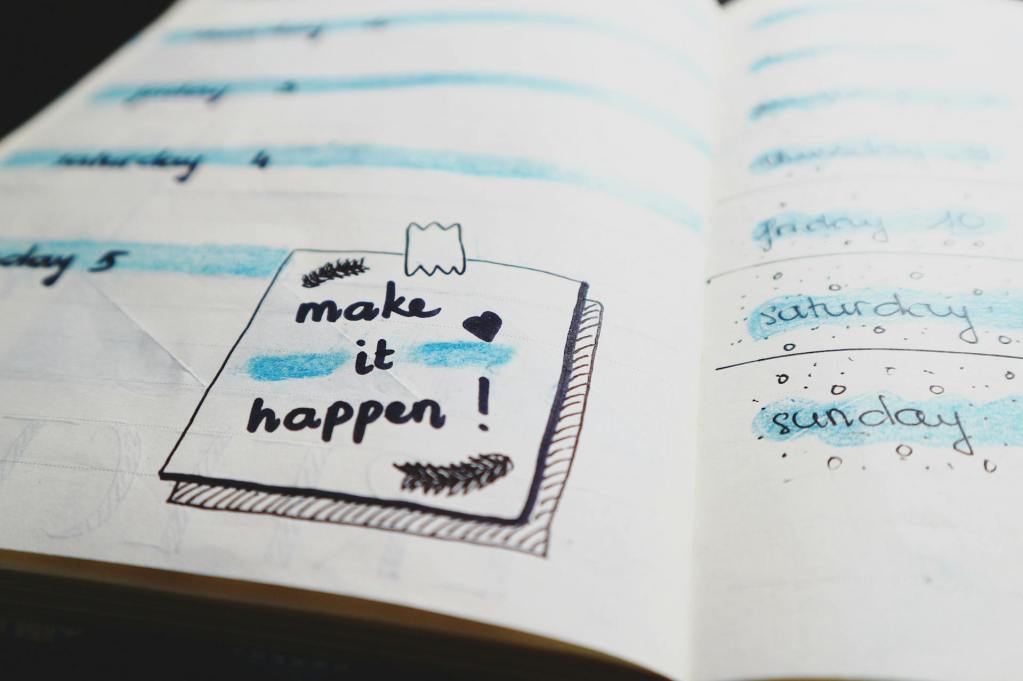
Make A Plan
Diving deeper into planning, let’s explore why it’s crucial for effective time management, especially for middle school students juggling various responsibilities and interests.
Embrace Planning: Your Strategy for Success
Creating a plan for your week is like drawing a map for an adventure. It guides you through each day, ensuring you reach your goals without getting lost in the forest of procrastination and forgotten tasks. Planning isn’t about restricting your freedom; it’s about empowering you to use your time wisely so you have more freedom to enjoy the things you love.
Why Planning Works
- Clarity: Writing down your tasks and activities gives you an overview of what lies ahead. This clarity reduces anxiety about forgetting something important.
- Prioritization: When you plan, you can decide which tasks are most important or urgent. This helps you tackle the big stuff first, reducing last-minute stress.
- Balance: A good plan includes time for work and play. By scheduling both, you ensure a healthy balance between responsibilities and relaxation.
- Achievement: Checking off completed tasks from your plan can be incredibly satisfying and motivating, encouraging you to keep going.
An App We Like
MyHomework Student Planner is specifically designed to help students manage their academic life. It simplifies keeping track of homework, assignments, tests, and class schedules.
- Class Schedule: Input your class schedule to see your daily or weekly classes at a glance. This helps you prepare and plan your study time accordingly.
- Assignment Tracker: Track your homework and assignments with due dates, prioritizing them based on urgency. The app can notify you of upcoming deadlines so you can complete all submissions.
- Customizable Themes: Make planning fun by customizing the app’s appearance with themes and colors that suit your style.

Set Priorities
Delving deeper into setting priorities, let’s understand why this step is critical in time management, especially for middle school students managing a diverse set of tasks and responsibilities for the first time.
Mastering Prioritization: A Key to Efficiency
At the heart of effective time management lies the ability to set priorities. This skill helps you focus on what’s truly important and urgent, ensuring that you allocate your time and energy where needed most. It’s about making intentional choices, recognizing that not everything can be done at once, and some tasks significantly impact your goals and well-being more than others.
The Benefits of Setting Priorities
- Reduced Overwhelm: By identifying what needs your attention first, you can tackle tasks in a manageable order, reducing the feeling of being overwhelmed.
- Increased Productivity: Focusing on high-priority tasks means spending your time and efforts on what will have the most significant impact, leading to more productive days.
- Better Grades and Less Stress: Prioritizing your schoolwork ensures you’re prepared for tests and assignments, potentially leading to better grades and less stress about deadlines.
- More Free Time: Efficiently managing your responsibilities frees up more time for hobbies, relaxation, and spending time with friends and family.
An App We Like
Todoist, a task management app, is well-suited to help students set priorities and manage their time effectively. Here’s how Todoist can support critical steps in prioritization:
- Listing All Tasks: Centralized Task Repository: Allows users to add all their tasks, from homework to extracurricular activities, into one place, ensuring nothing is overlooked.
- Assessing Urgency and Importance: Prioritization Features: Tasks can be assigned priority levels from P1 (most urgent and essential) to P4 (least significant), helping students visually differentiate their tasks based on urgency and importance.
- Reduced Overwhelm and Increased Productivity: Students can tackle their to-do list systematically by prioritizing tasks, reducing overwhelm, and boosting productivity.
- Tracking Progress: Completing tasks in Todoist offers visual progress, enhances motivation, and encourages continued productivity.
- Collaboration: Todoist’s collaboration features enable efficient teamwork on group projects, with the ability to assign tasks and deadlines within the app.

Break It Down
In need of custom learning content (i.e, worksheet, lesson, etc.) for your learner?
Let us help. We have a team that can bring your idea to life.
Breaking down large tasks into smaller, more manageable pieces is a tried and true method that can significantly enhance your ability to manage time and reduce stress. This approach, often called “chunking,” makes even the most daunting projects feel achievable. Let’s delve into why this strategy works so well and how tools like Trello can be instrumental in applying it.
Benefits of Chunking
- Less Overwhelming: Small tasks are less daunting and more accessible than a massive project.
- Increased Focus: With clear, defined mini-tasks, you can concentrate better, improving the quality of your work.
- Trackable Progress: Completing each small task provides a sense of achievement and progress, keeping motivation high.
- Better Planning: Estimating how long each chunk will take is easier, leading to more accurate planning and time management.
How to Break Tasks Down
- Define the End Goal: Clearly understand what you want to achieve with the project.
- List the Steps: Think about all the steps required to complete the project from start to finish.
- Organize in Logical Order: Arrange these steps in a coherent sequence, considering any dependencies between tasks.
- Break Down Further: If any step still feels too big, break it down into subtasks until each feels manageable.
An App We Like
On of our favorite apps that helps with visualizing how to break down tasks into smaller ones is Trello. Trello is a versatile and user-friendly project management app that excels in helping users break down projects into bite-sized tasks. Its visual board-and-card system, styled after Kanban project management boards, makes organizing and prioritizing work intuitive and engaging.
- Boards, Lists, and Cards: Trello allows you to create a board for each project. Within each board, you can create lists representing different stages or aspects of the project and cards for individual tasks or steps.
- Customizable and Interactive: Each card can be customized with due dates, checklists, labels, attachments, and comments. This allows for detailed planning and collaboration.
- Drag-and-Drop Functionality: As you progress with your tasks, you can drag cards across lists, visually tracking your progress. Moving a card to a “Done” list is satisfying and motivates you to keep going.
Let’s Recap

- By employing effective time management techniques and tools, students can effectively juggle academic responsibilities, hobbies, and relaxation, increasing efficiency and diminishing stress.
- Understanding Your Time: Knowing your daily activities helps make better decisions for a harmonious work-life balance.
- Creating a Plan: A well-thought-out plan serves as a roadmap through your duties, ensuring productivity and enjoyment.
- Establishing Priorities: By identifying key priorities, you can concentrate on the tasks that matter most, boosting efficiency and lowering anxiety.
- Dividing Tasks: Breaking complex tasks into smaller, manageable units simplifies overwhelming projects and sharpens concentration.
Resources We Trust and Like
- Todoist, A Student’s Guide to Todoist [Why we like this: Examples and screenshots of how students can use Todoist]
- The Nerdy Student, Trello for Students [Why we like this: How Trello is used for schoolwork]
- The University of Chicago, 15 15-minute Study Break Ideas [Why we like this: Here are some ideas about what to do with those breaks – like origami!]
Extra Doses Of Content

The 20‑Minute Decompression Routine To Make Homework Easier

Career Cluster Match-Ups: Turn Chores Into Career Lessons
Backpack, Binder, and Digital File Systems for Busy Students

Micro‑Habits That Get Homework Started in 5 Minutes
Time‑Blocking for Tweens and Teens: Build a Weekly Plan That Works

Study Systems That Stick: A 30‑Day Executive‑Function Reset for Grades 6–10
Don’t Stop Here—Build Skills That Actually Stick
You’re already investing time in learning by reading this. Let’s make it count.
Join our TST email list to get practical skill-building strategies, career-ready tools, and research-backed learning tips delivered straight from educators who design learning for real classrooms, real homes, and real life.
No fluff. No busywork. Just helpful ideas you can actually use.